Nothing leaves the building
The teacher PC is the server. Student names, recordings and files stay on the lab's own network. No account, no internet, no data processor agreement to sign.
asasiilang lab
asasii Lang Lab turns a room of Windows PCs into a language laboratory. The teacher broadcasts, listens, casts a student to the class, pushes and collects work, runs a quiz, a dictation or a speaking task and marks it against CEFR. Nothing leaves the building: no internet, no account, no cloud. Licensed per lab, no expiry.
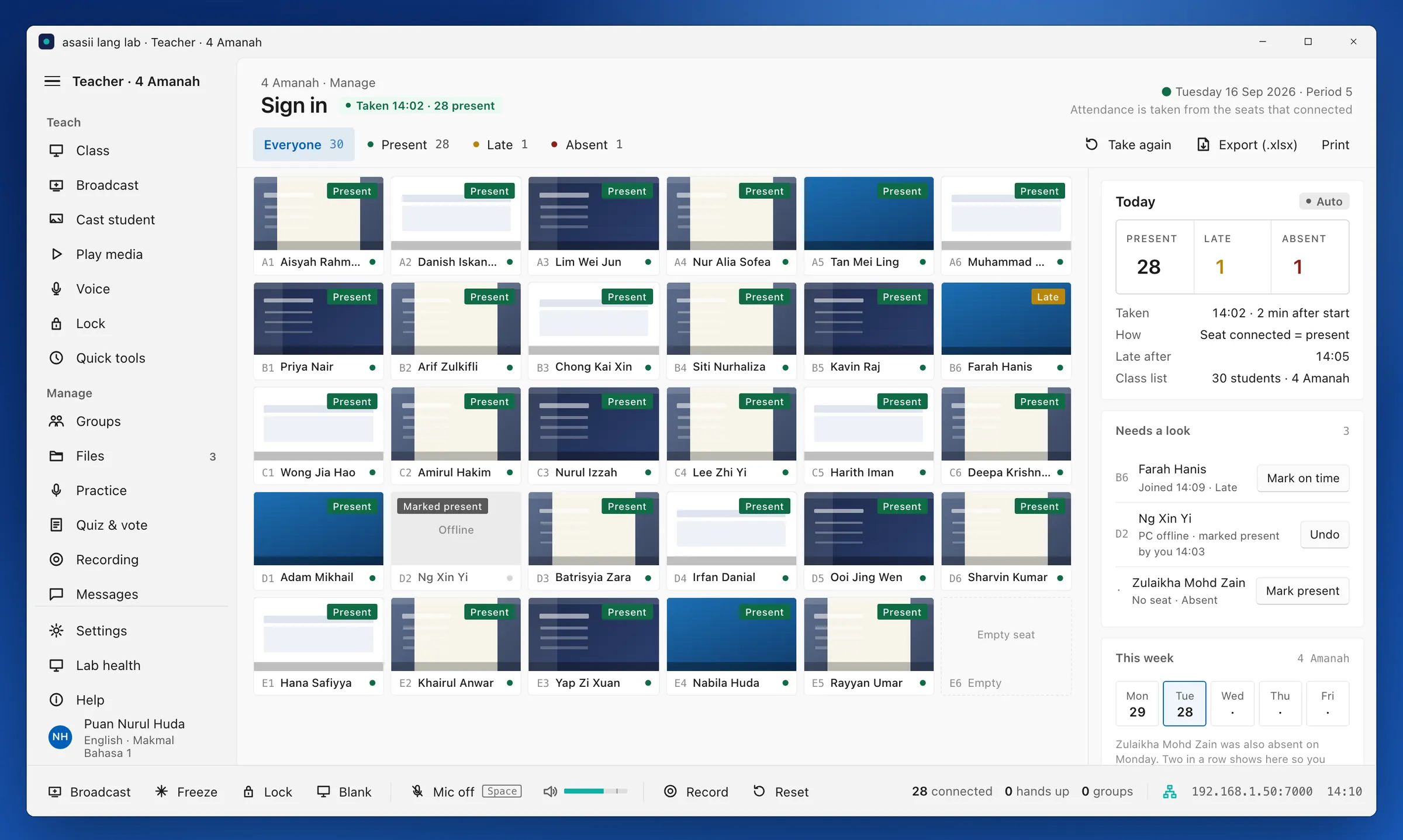
One period, one class, one screen for the teacher. The seat grid is the room; every tool works on the seat, the group or the class.
The teacher signs in on the lab PC, picks the class and the lesson. The Ready screen lists the files to push, the quiz queued from last time and the notes left for today.
Each student PC opens the client, shows the class list and the student picks their name, with an optional PIN. Seats keep their code, so the teacher learns the room, not the login.
Broadcast the teacher screen or a media file to every seat, cast one student's screen to the class, talk to a seat, a group or everyone, lock attention with one key.
Push a worksheet, collect it at a deadline, run a quiz with live results, a dictation sentence by sentence, or a timed speaking task recorded at every seat.
Recordings are marked against the CEFR can-do statement, returned to the student, and the lesson summary lands in a dated folder with attendance, files, results and a note to self.
Built for a school or university lab that must work on the first day of term and every day after, with the IT the institution already has.
The teacher PC is the server. Student names, recordings and files stay on the lab's own network. No account, no internet, no data processor agreement to sign.
A native 64-bit Windows application, one self-contained executable per role. No browser, no runtime to install, no server room.
Every lesson carries a level and a can-do statement. Speaking practice, dictation and quizzes are marked against it, and a student's progress is a CEFR record, not a percentage.
Up to 60 seats, lecturer and teacher labels, class lists from a spreadsheet, and results exported to the institution's LMS or as a workbook.
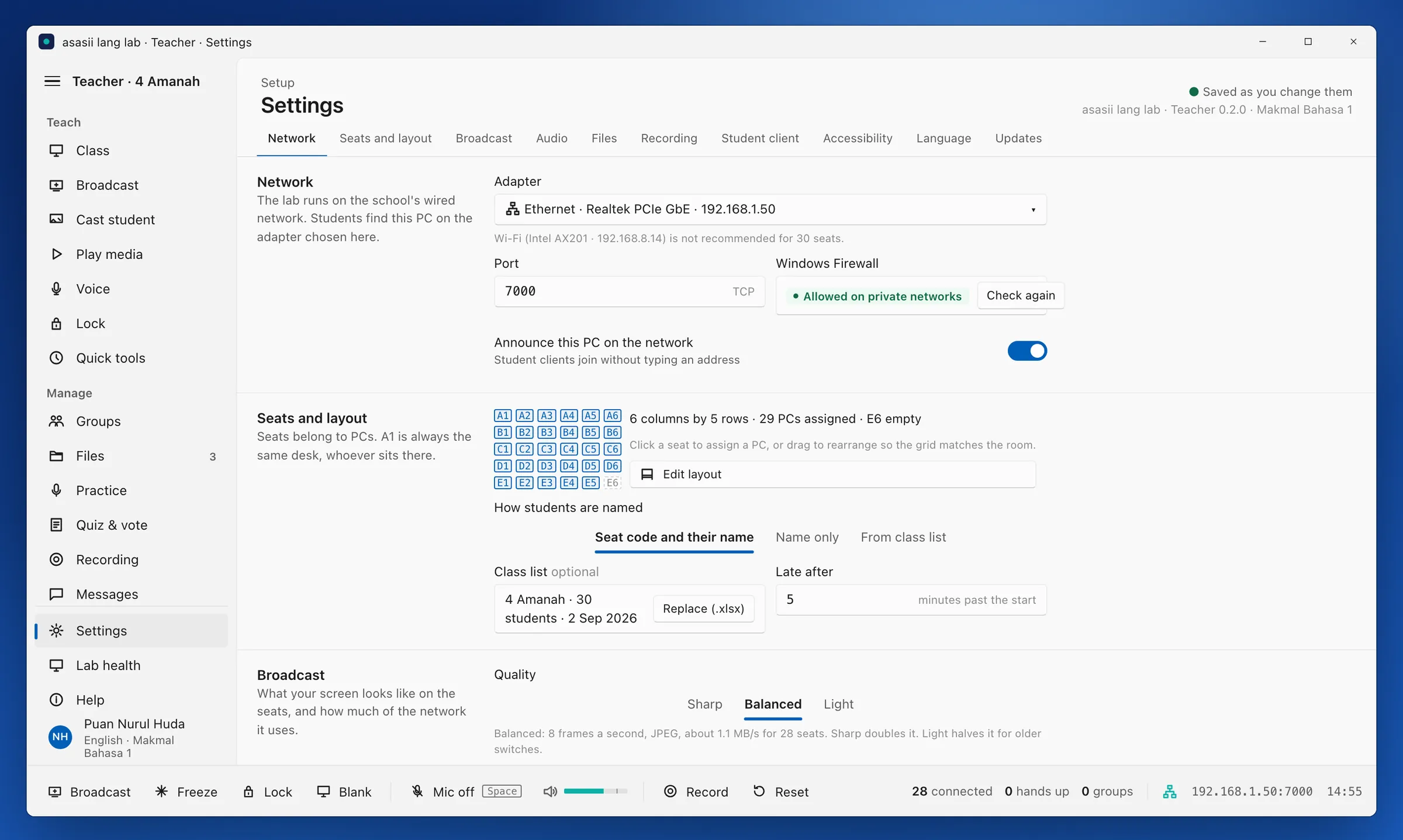
The teacher console runs on the lab PC and the student client on every seat. Both are Windows 11 applications, not web pages, so they work when the internet does not.
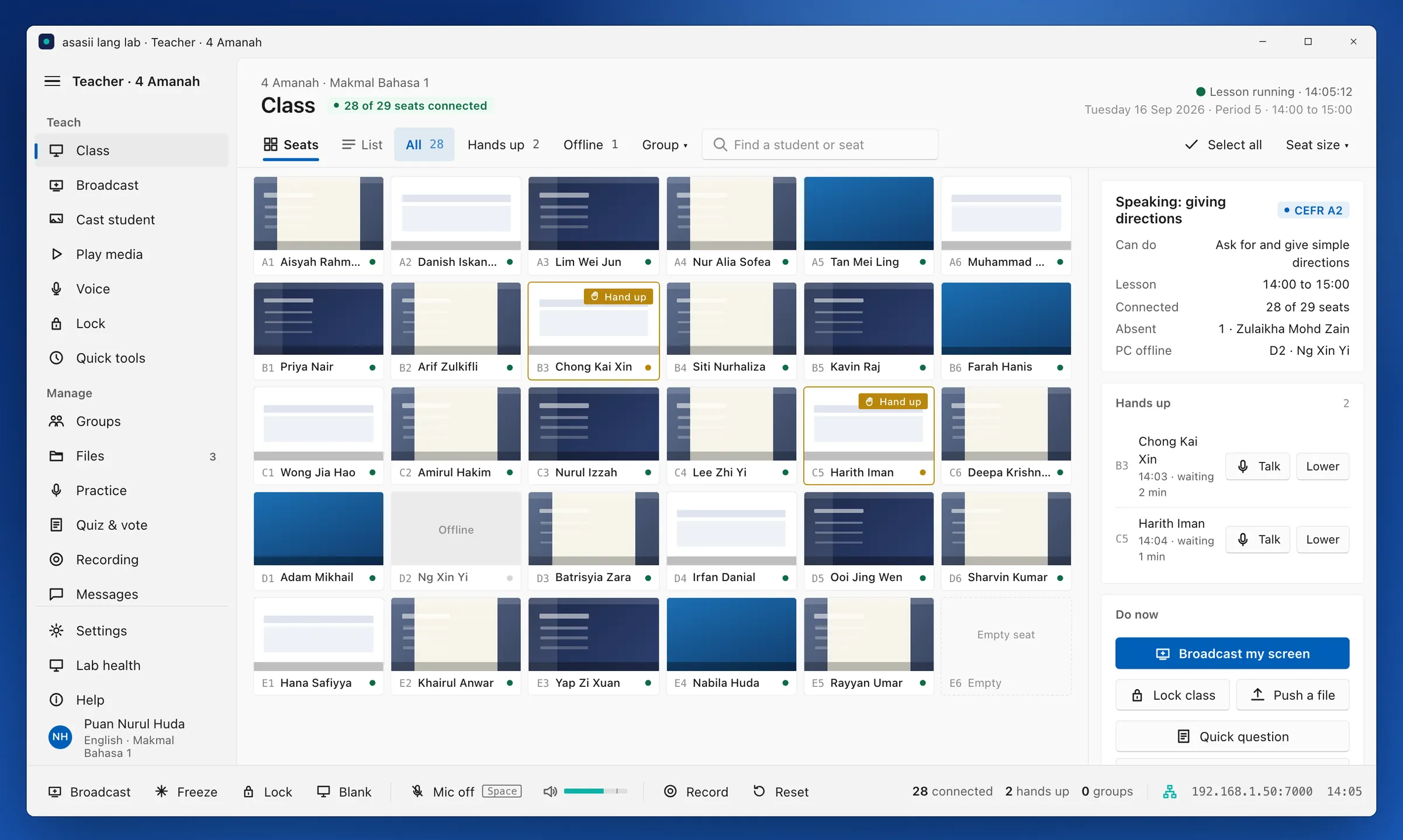
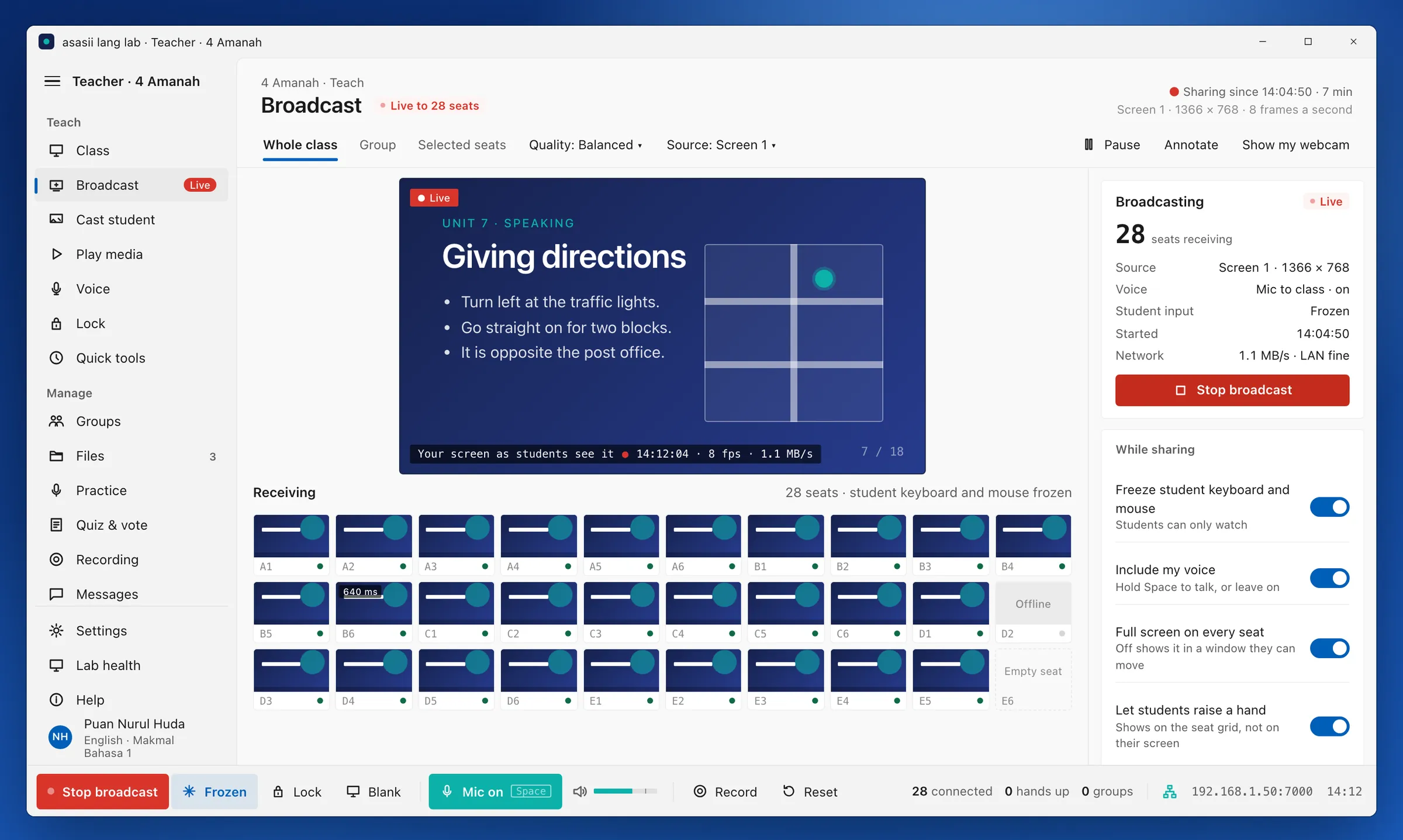
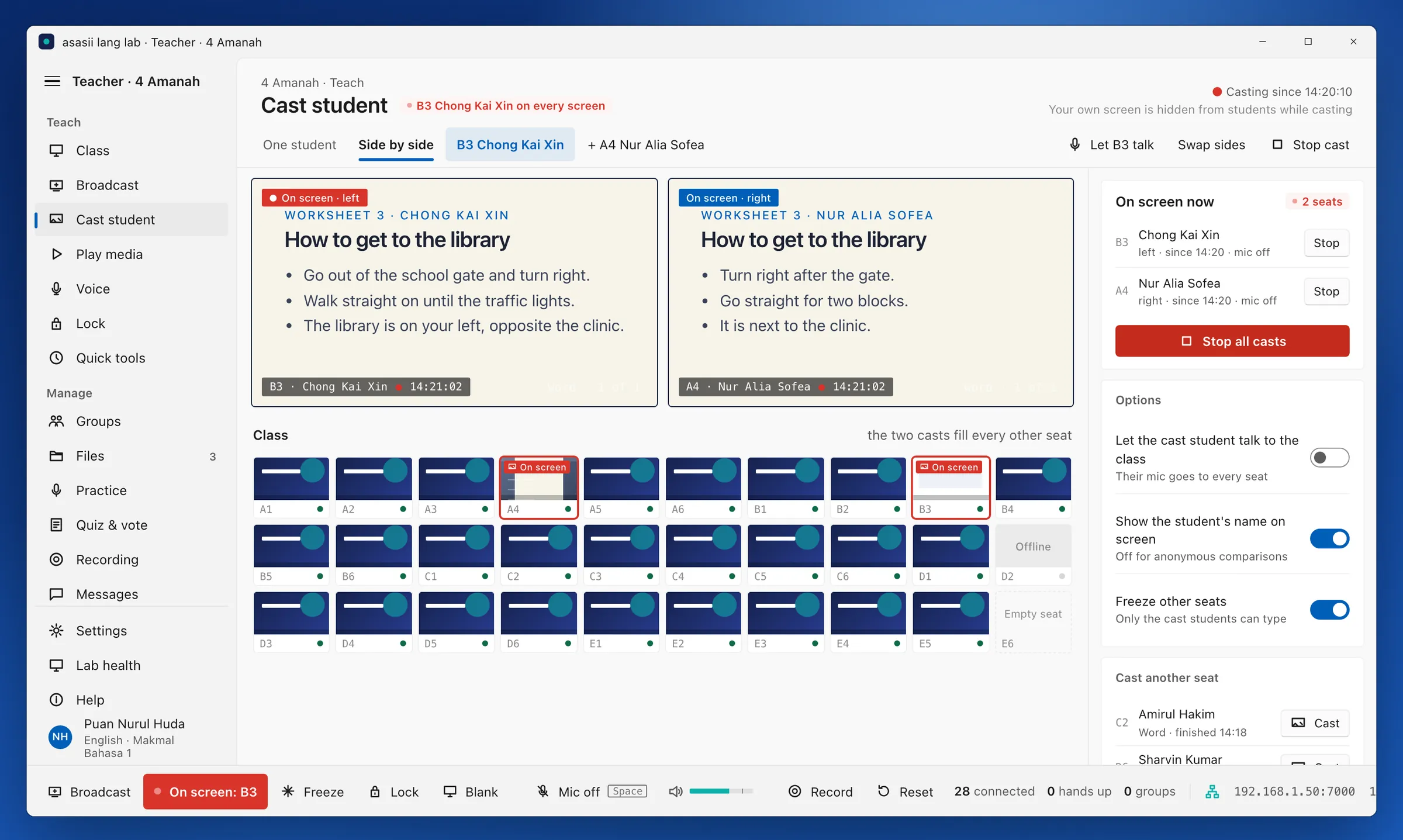
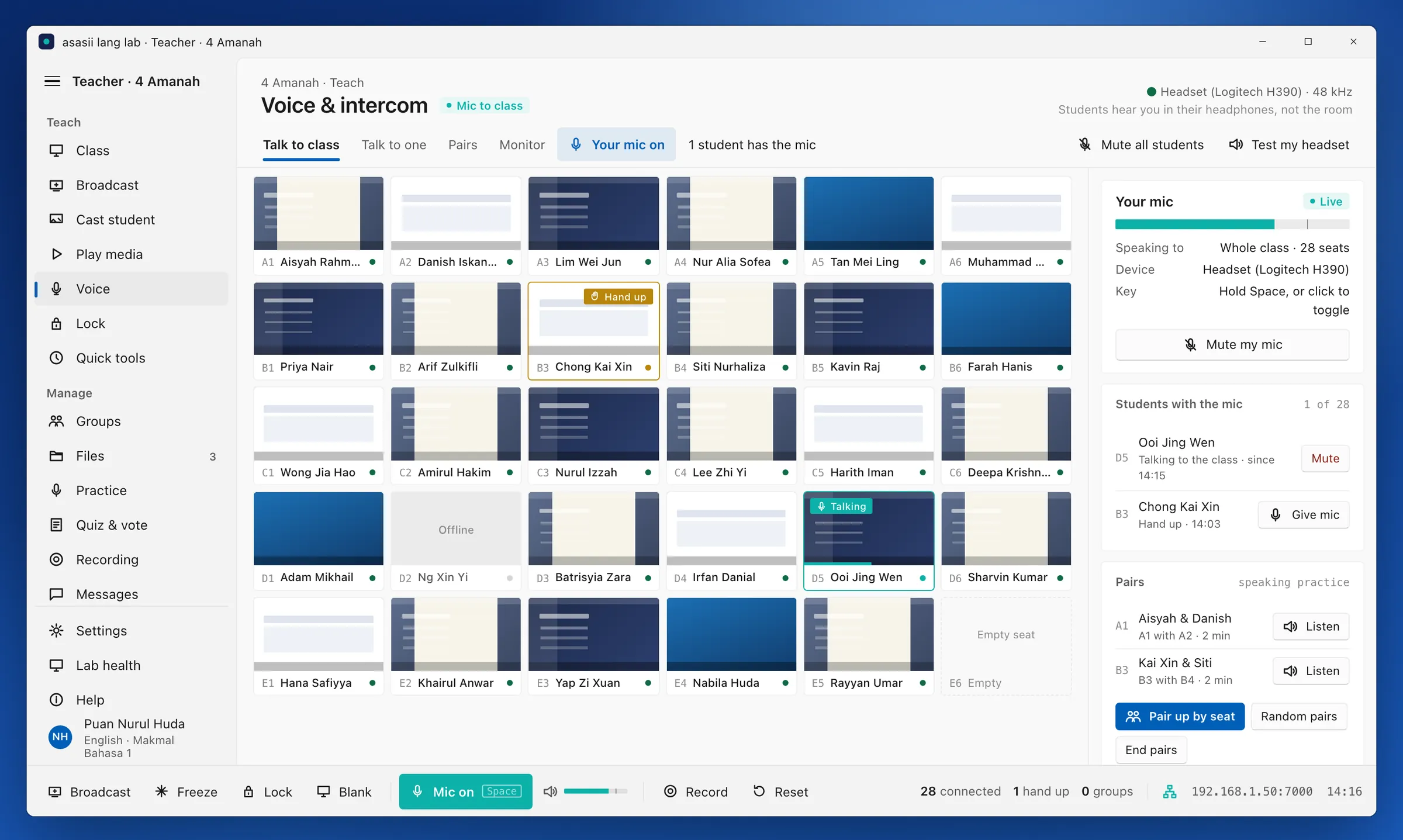
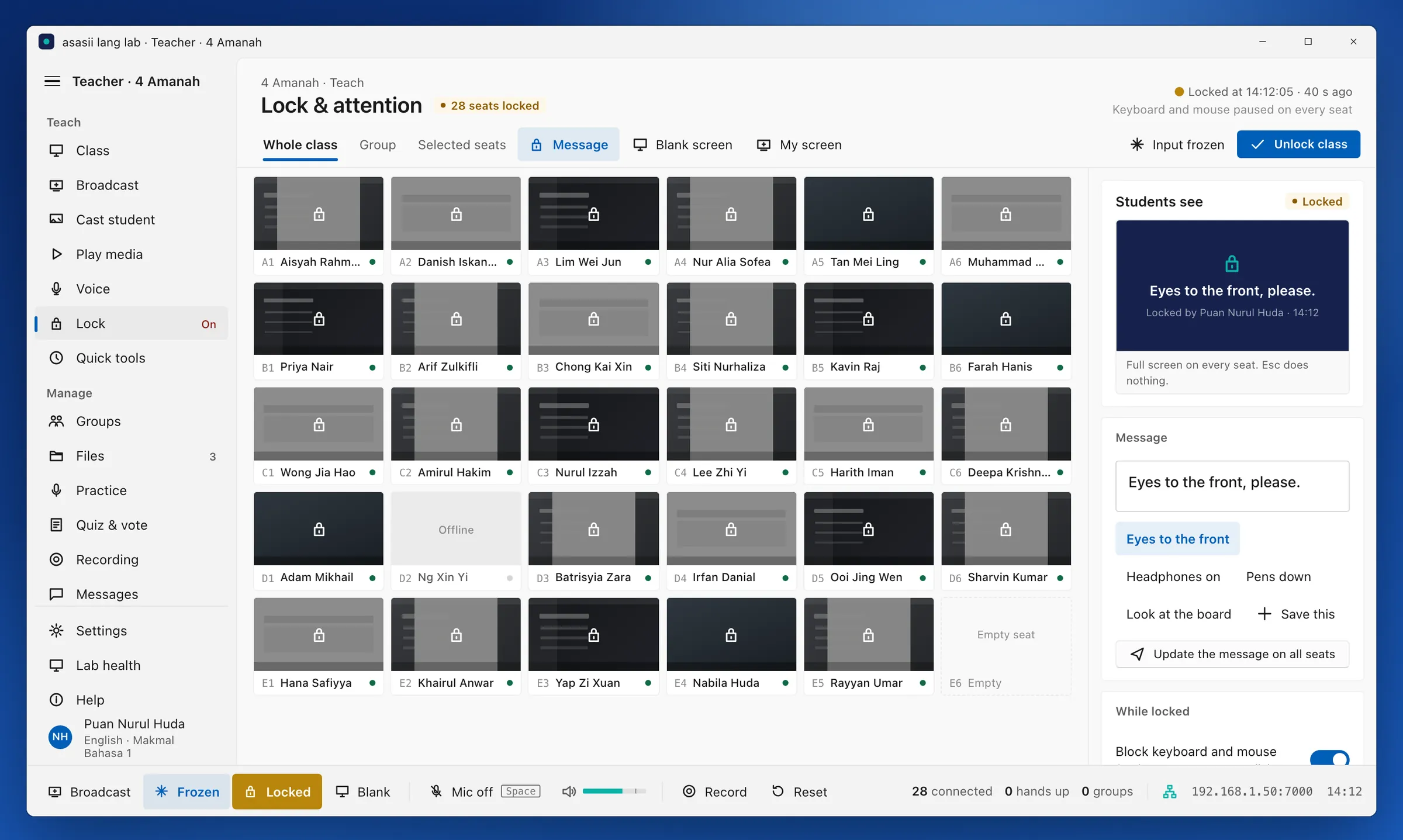
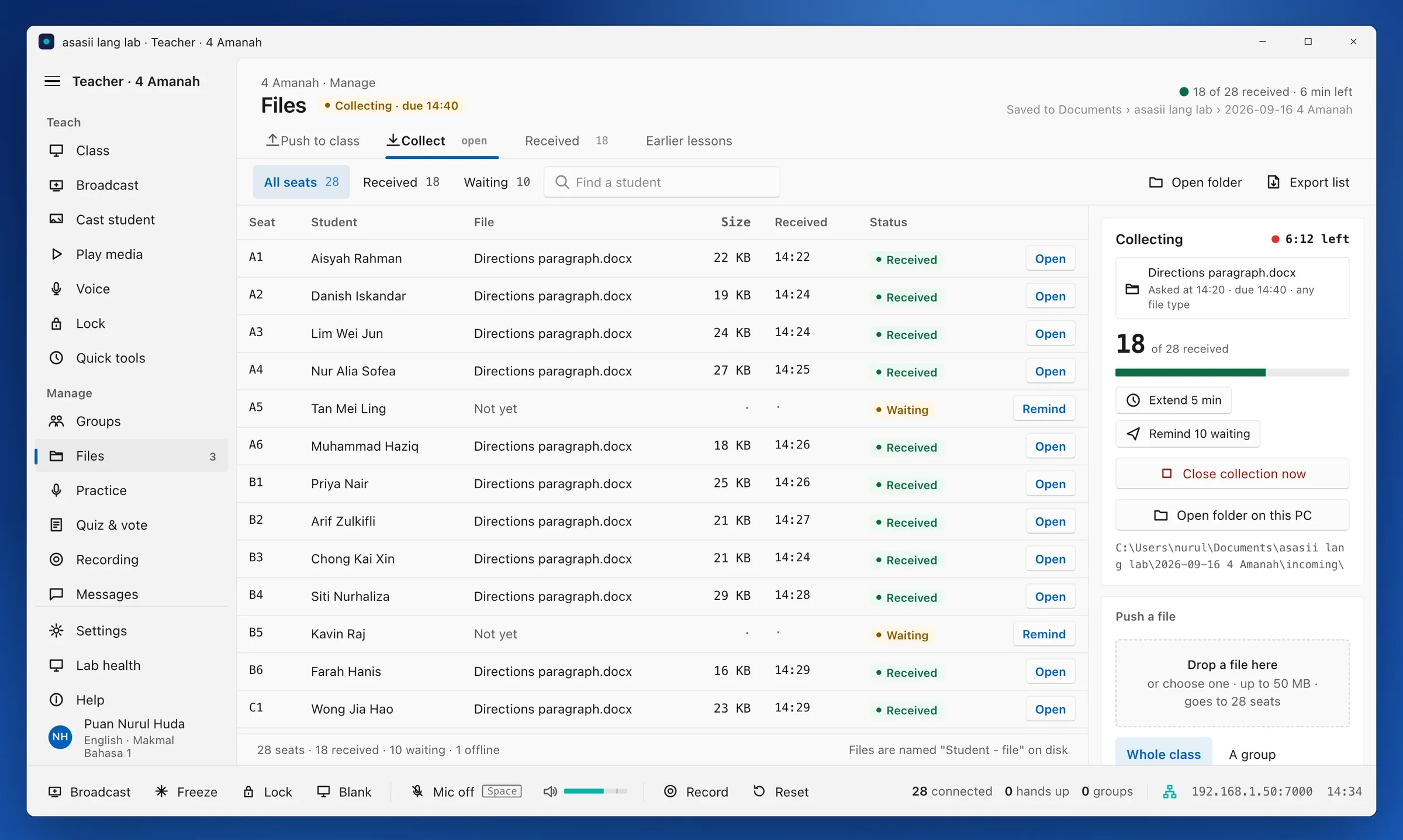
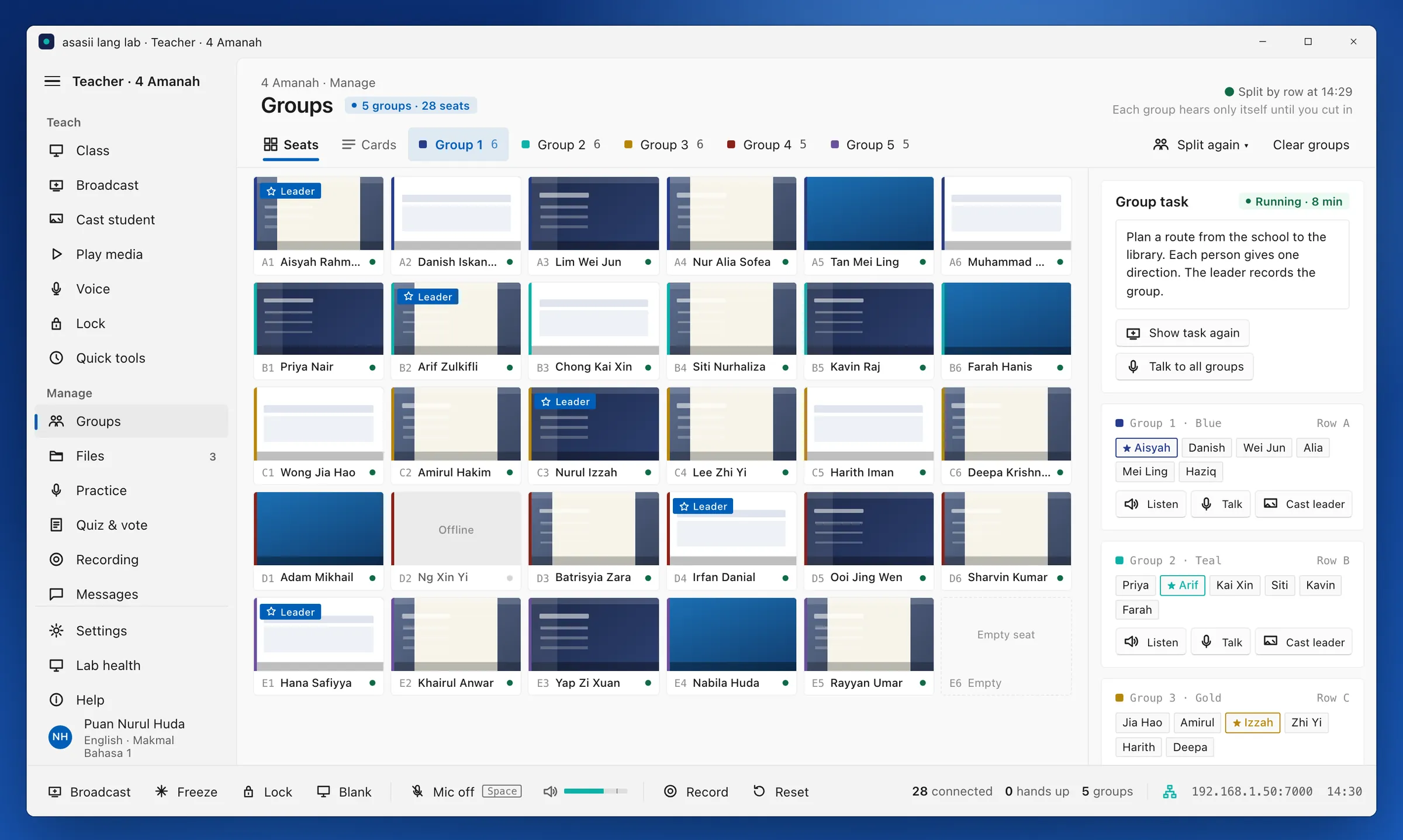
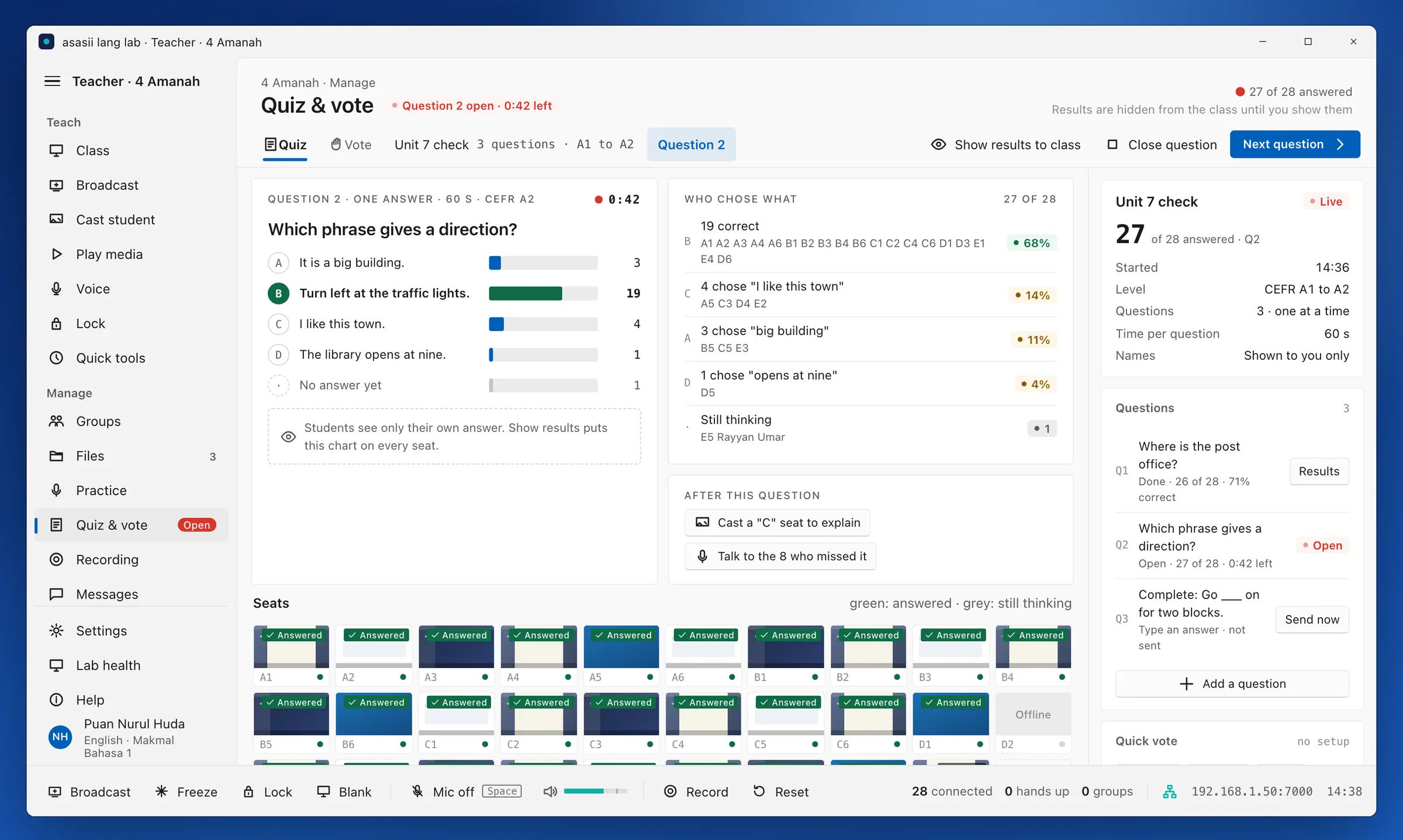
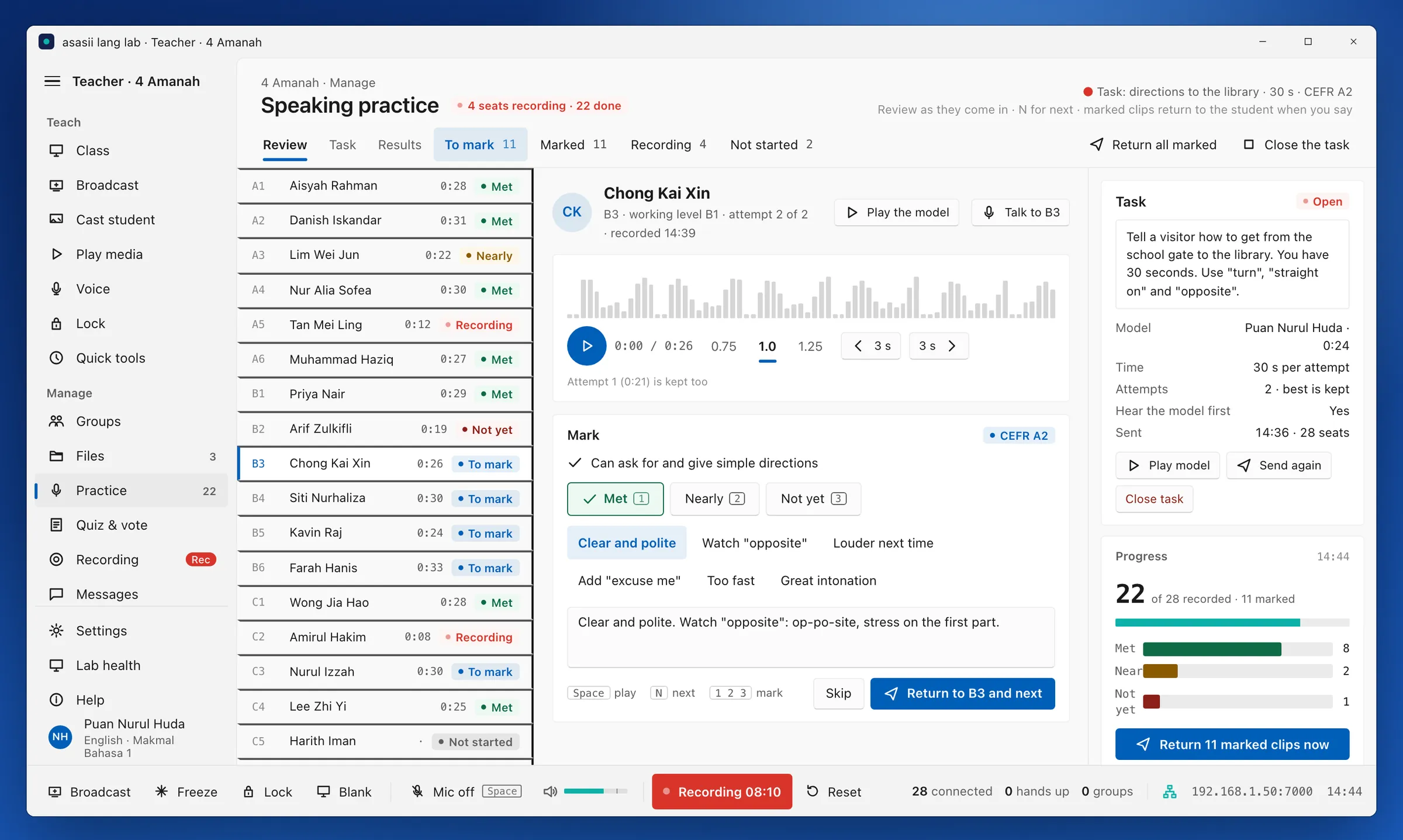
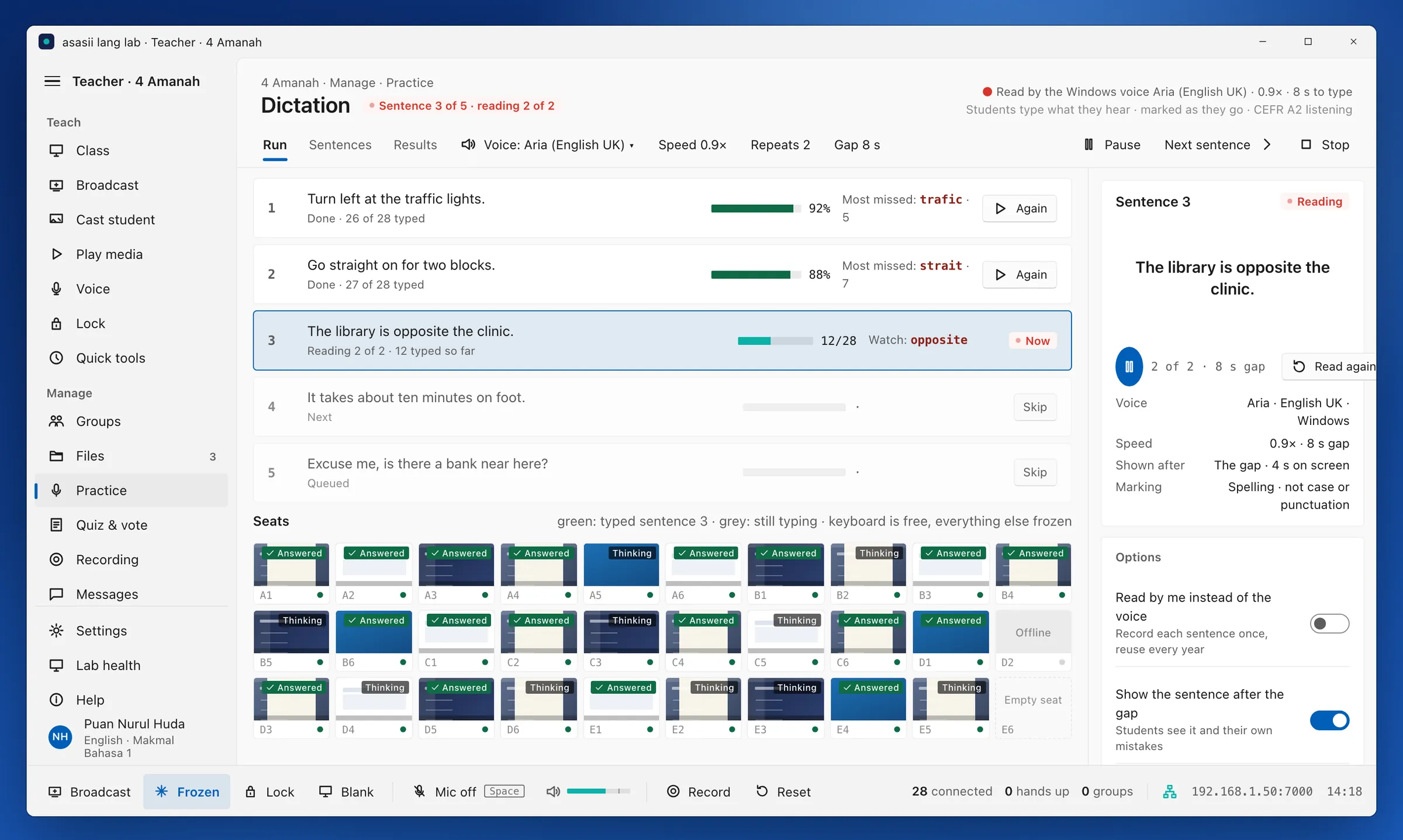
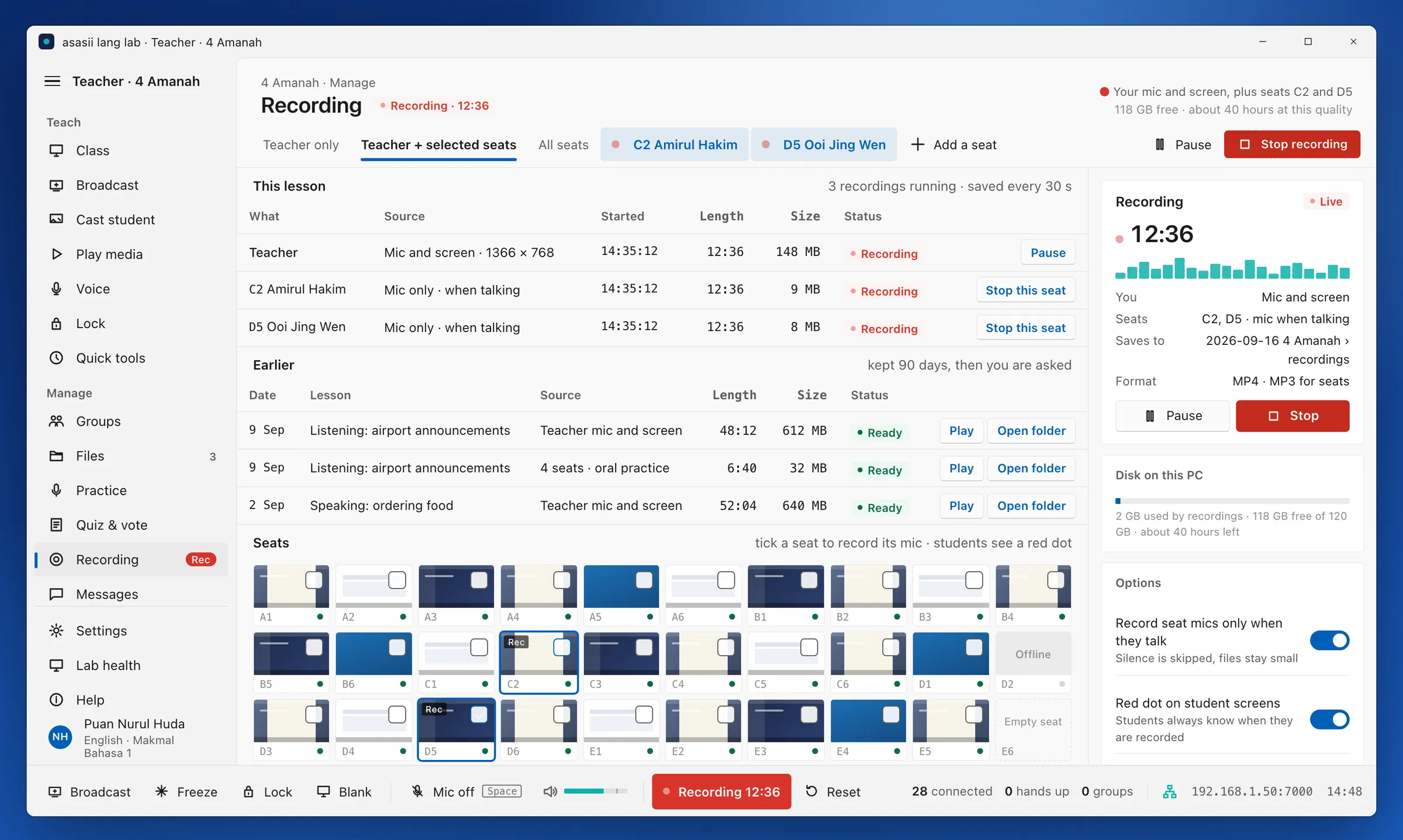
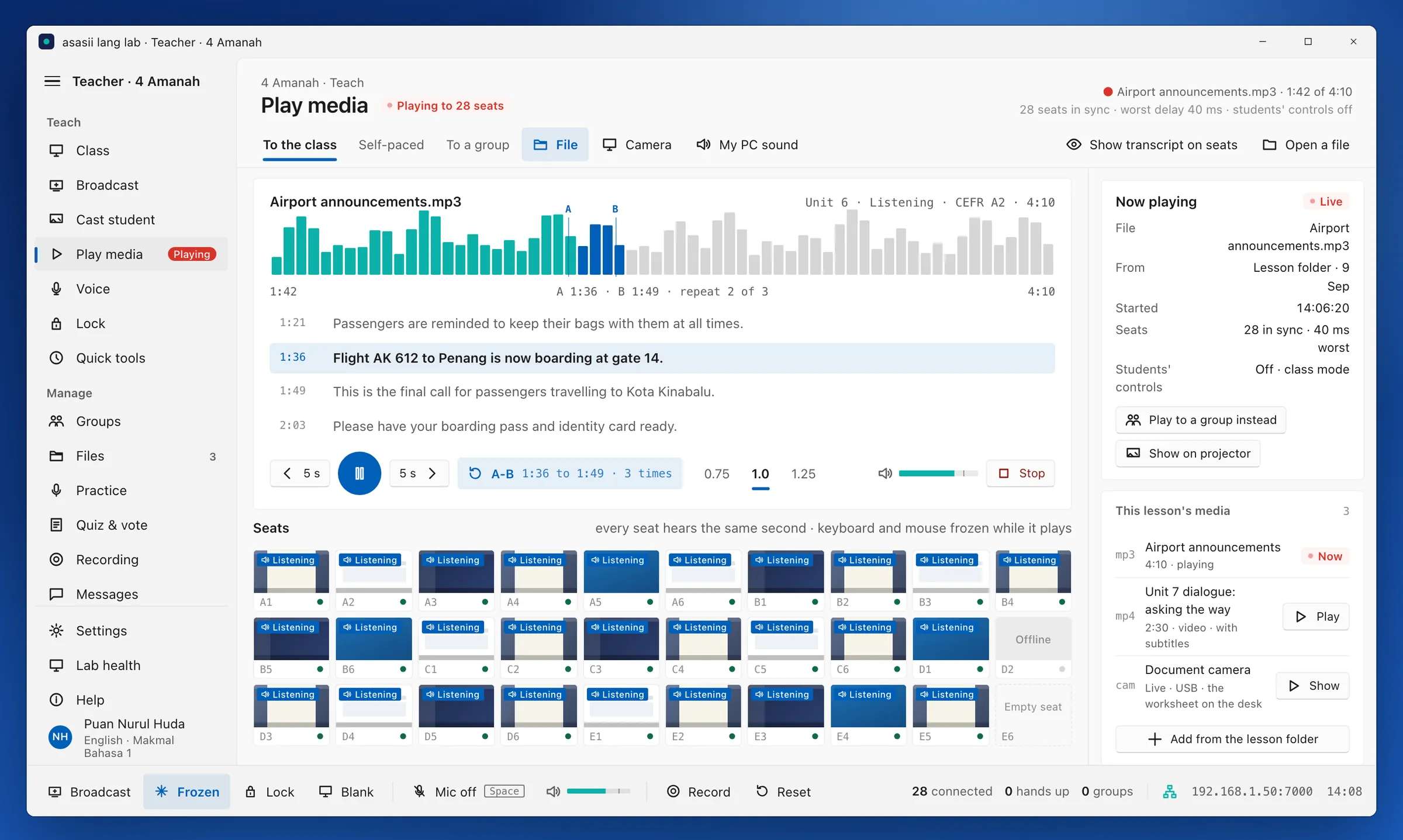
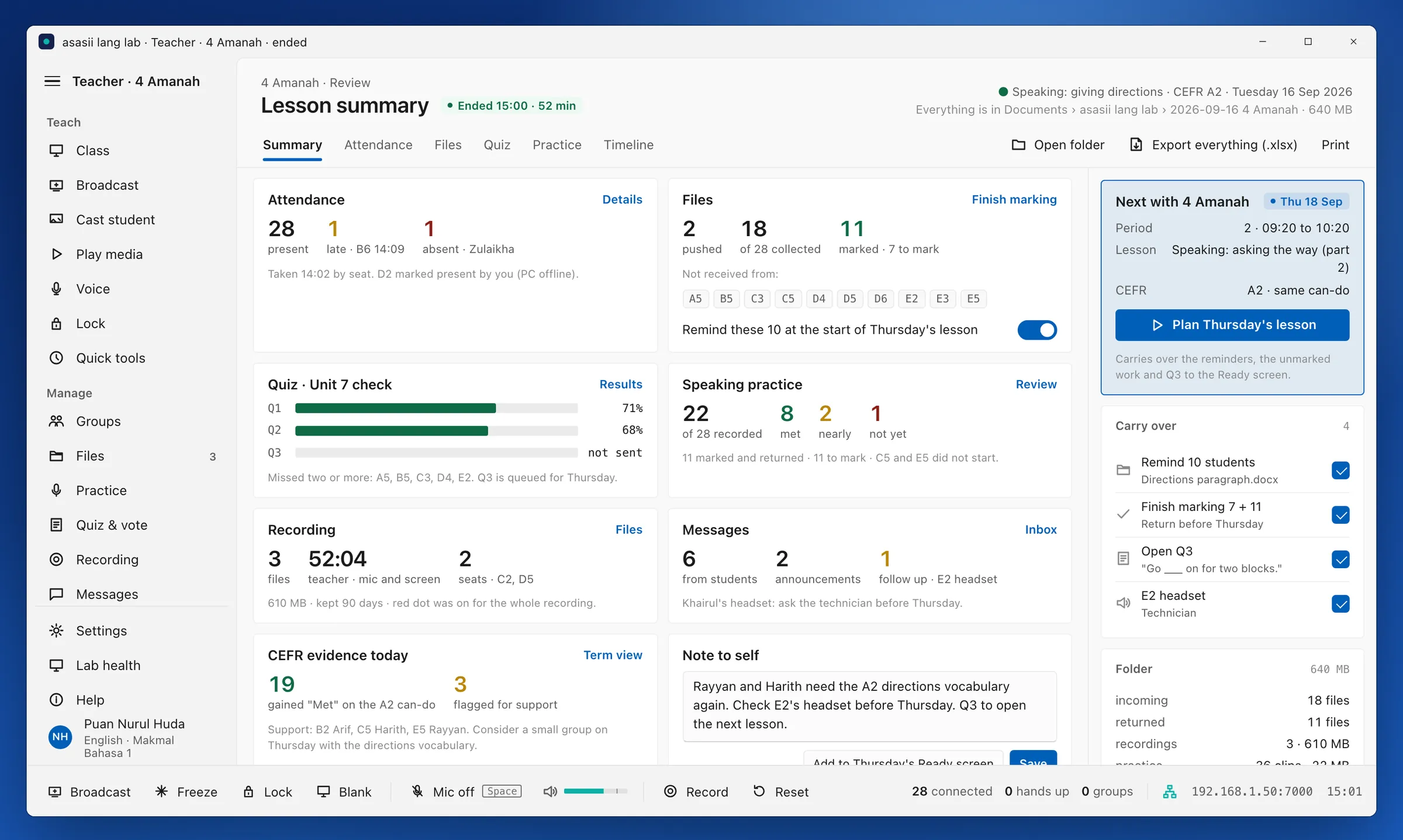
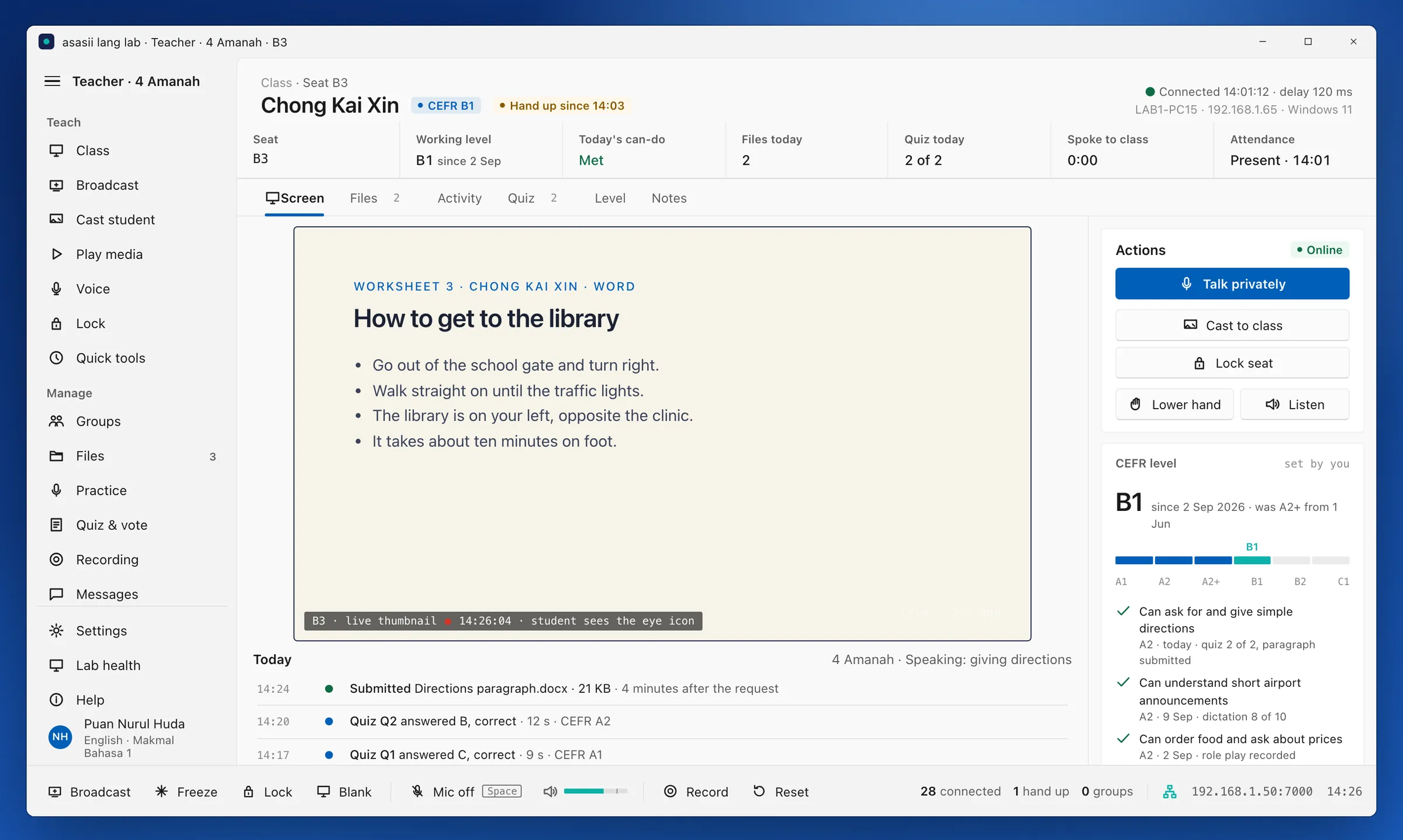
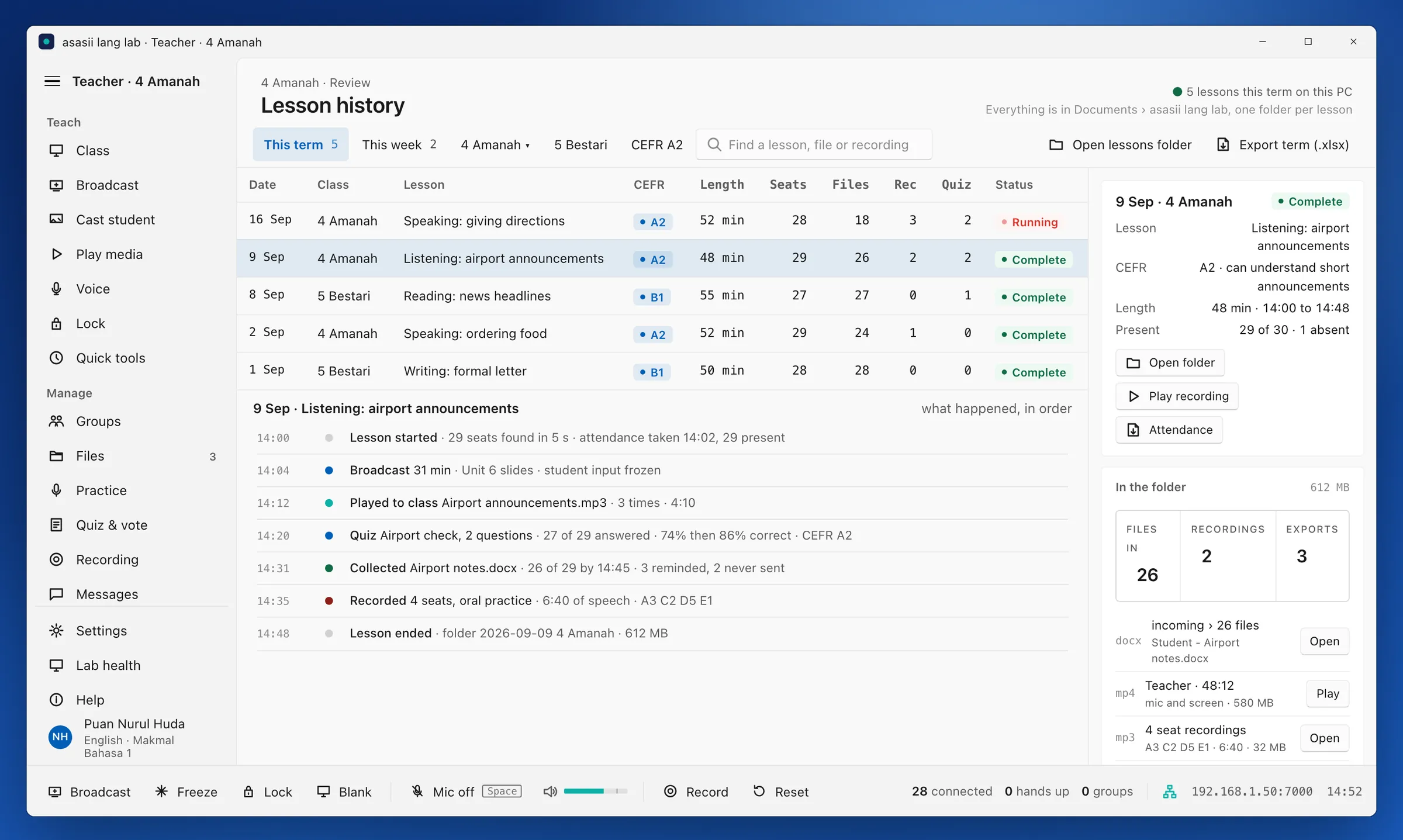
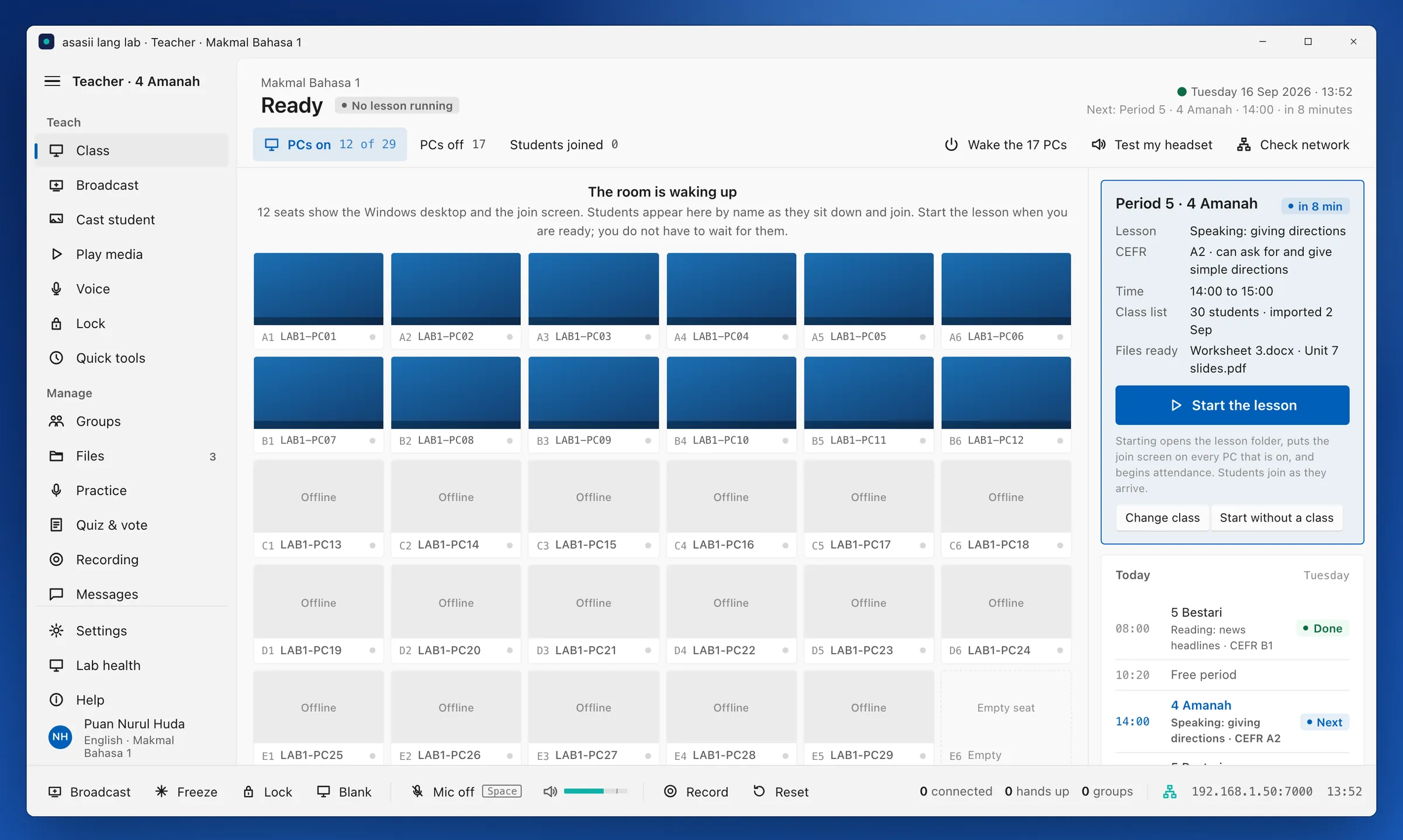
One teacher PC and up to 60 student PCs on the lab switch. That is the whole system.
Teacher console and student client are native 64-bit Windows applications. Installed once, they start with the PC and find each other on the network.
Screen broadcast, voice and files travel over the lab's own wired network on one port. A gigabit switch carries a full class.
Nothing depends on a connection outside the room. Lessons, recordings and results live in a dated folder on the teacher PC and can be backed up like any other folder.
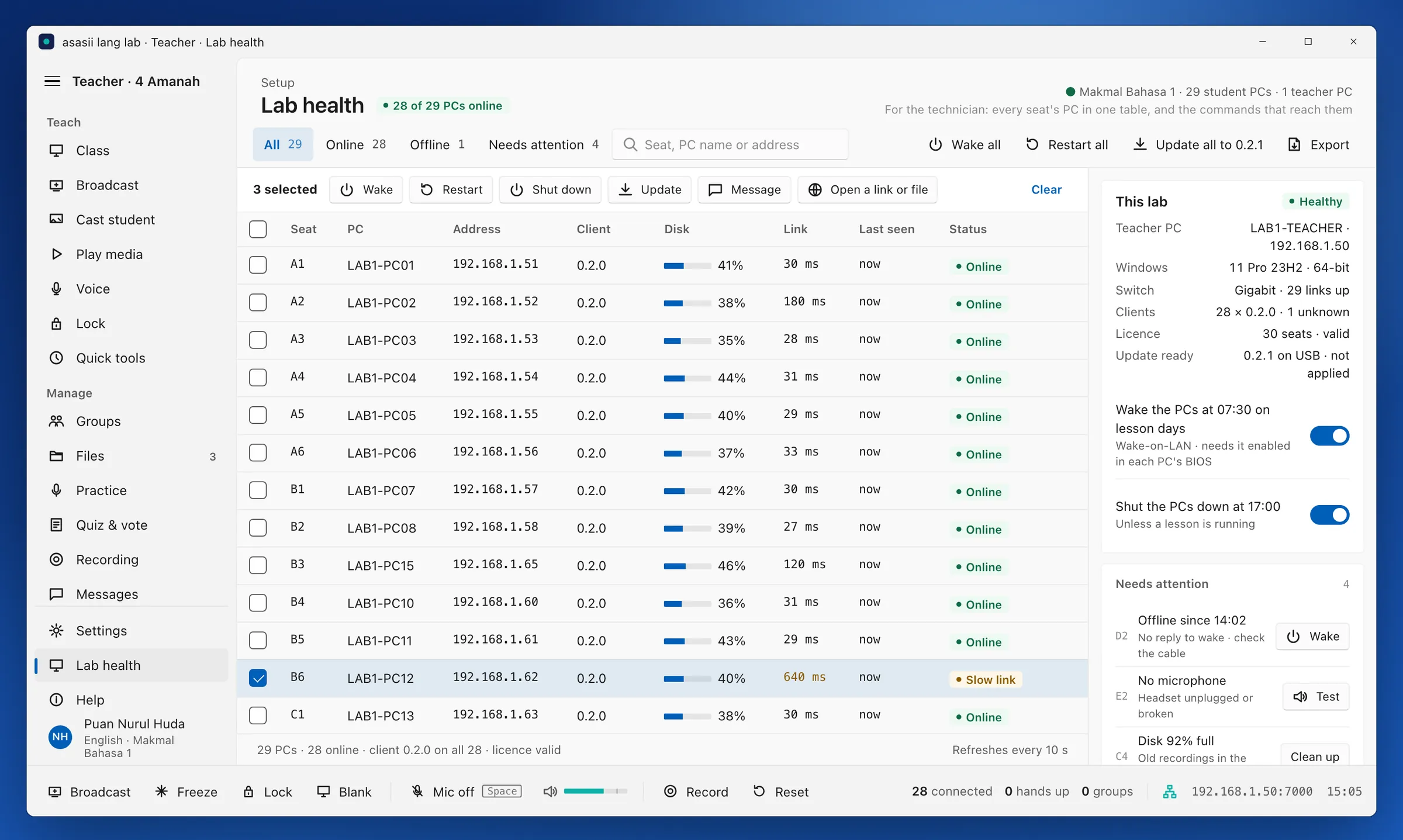
Lab health shows every seat's PC, client version, disk and link. Wake, restart, shut down and update all seats from the teacher PC; updates arrive on a USB stick.
Built for the questions a school leadership team, a university IT office and a parent will ask.
Names, recordings and work never leave the teacher PC. There is no cloud account to secure, and the institution decides how long recordings are kept.
Seat thumbnails are the teacher's view only and are never recorded. The student's status bar shows when the teacher can see the screen and when a recording is on.
Teachers sign in with a local profile and password on the lab PC. Students pick their name from the class list, with a PIN if the institution wants one.
The licence names the institution, the lab and the seat count, is read from a file on the teacher PC, and never expires. A second lab is a second file.
Installed and supported by idataraya, with the people who set up the lab a phone call away.
idataraya installs the teacher console and the student clients, checks every seat's headset and network, and runs the first lesson with the teacher.
New versions arrive on a USB stick or from the teacher PC to every seat. Three years of updates are in the licence.
The people who answer know the console. A headset that fails or a seat that will not join is a call, not a ticket queue.
A half-day session for the teachers who will use the lab, and a printed quick guide that lives on the lab PC.
A licence and an installation, not a subscription that stops when the budget does.
The licence belongs to the institution and never expires. Every lesson folder, recording and result is a file the institution can open, copy and keep.
Priced per laboratory with a seat count. Students are not counted, and a new class list costs nothing.
The lab works without a renewal. Optional support and updates beyond the third year are a separate agreement.
A second laboratory is a second licence file and an afternoon's installation, on the same design and the same training.
Send us the seat count, the PC specification and the network layout. We come back with a lab plan, a headset recommendation and a proposal.
Request a proposal